Azure CDN (Content Delivery Network)
Another concept to note is the use of Azure Blob Storage1 as a CDN to store static files.
What is a CDN?
A Content Delivery Network2 is a service that replicates static files across a network of servers around the world to improve page load speed. Popular CDN services include Akamai Ion3, CloudFlare CDN4, AWS CloudFront5, and Azure FrontDoor6.
When we deploy apps, the CI/CD pipeline scans the image for static files and adds them to Azure based on the APP_NAME. The CI/CD pipeline script defines default file types that are selected for upload:
| <code>.github/workflows/build-and-push-app.yaml</code> | |
|---|---|
Files are pushed to the Azure CDN with a path structure that uses an independent CDN_ASSET_VERSION value, which is calculated based on a hash of the files when they are selected.
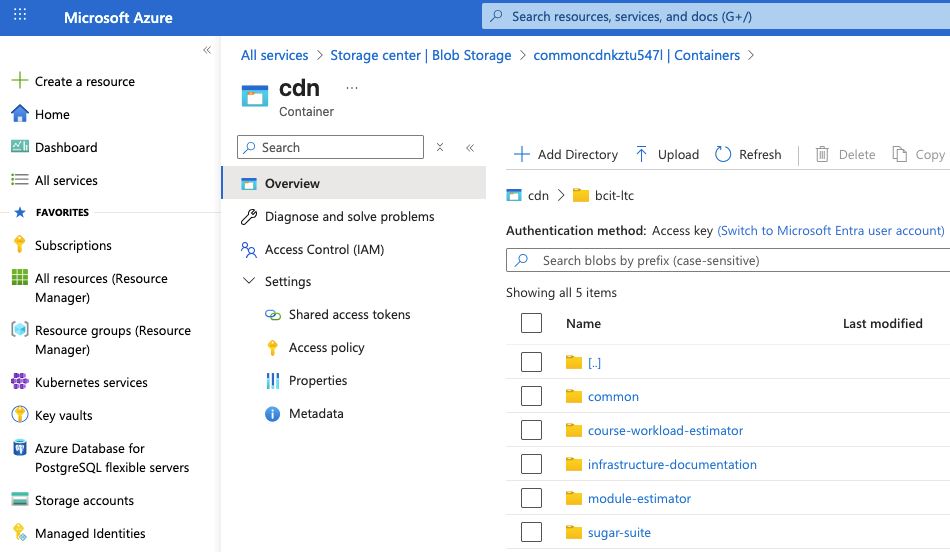
Azure Blob Storage file structure
The CI/CD pipeline also replaces links to local files with links to the CDN. So for example, in a container running in a cluster, HTML links are transformed like this:
block
columns 1
    Local["<link rel='stylesheet' href='.././css/bcit.css'>"] space:2 Cdn["<link rel='stylesheet' href='https://azureblobstorage.microsoft.com/bcit-ltc/cdn/css/bcit.css'>"]
    Local-- "rewritten to" -->Cdn
In practice, what this means is that the images pushed to the ghcr.io registry (part of the Deployment step) will have CDN links rather than relative links to local assets. Images built locally or in a Codespace are not processed by the CI/CD pipeline script, so they retain relative links.