Getting started with secrets
App secrets are a critical part of production services; they are defined as anything that should be protected, and include things like TLS certificates, API tokens, dynamically-generated database credentials, and more.
If an app connects to another app it likely uses a secret to verify its identity (mTLS). If an app needs to perform an action on another app or service, it likely needs to authenticate and be authorized to perform that action (CRUD).
A simple example
The following Wordpress example1 is commonly referenced as a pattern for microservices:
This example demonstrates how services can use secrets, but it is not offered as a "best-practice" by any stretch!
Store secrets in Vault
If your application uses any kind of sensitive data, store and retrieve this data from our own hosted version of Hashicorp Vault2. Vault is a secrets management platform, and one of its most useful features is simple key-value pair secret storage.
Vault has a web UI and an API, as well as a convenience command line utility (CLI).
Vault service
Access our group's hosted web service by browsing to https://vault.ltc.bcit.ca:82003.
Install the CLI
Vault has an API that can be accessed with tools like curl, but its easier and more convenient to use the command line tool:
Open up a terminal window and install the vault command line utility:
Open up a terminal window and run:
wget -O - https://apt.releases.hashicorp.com/gpg | sudo gpg --dearmor -o /usr/share/keyrings/hashicorp-archive-keyring.gpg
echo "deb [arch=$(dpkg --print-architecture) signed-by=/usr/share/keyrings/hashicorp-archive-keyring.gpg] https://apt.releases.hashicorp.com $(grep -oP '(?<=UBUNTU_CODENAME=).*' /etc/os-release || lsb_release -cs) main" | sudo tee /etc/apt/sources.list.d/hashicorp.list
sudo apt update && sudo apt install vault
See alternative installation methods on the Hashicorp Vault site4.
Login
-
Login
Navigate to the Vault3 web service and click on the blue "Sign in with Azure" button. Authenticate with your BCIT credentials.
Add a secret
-
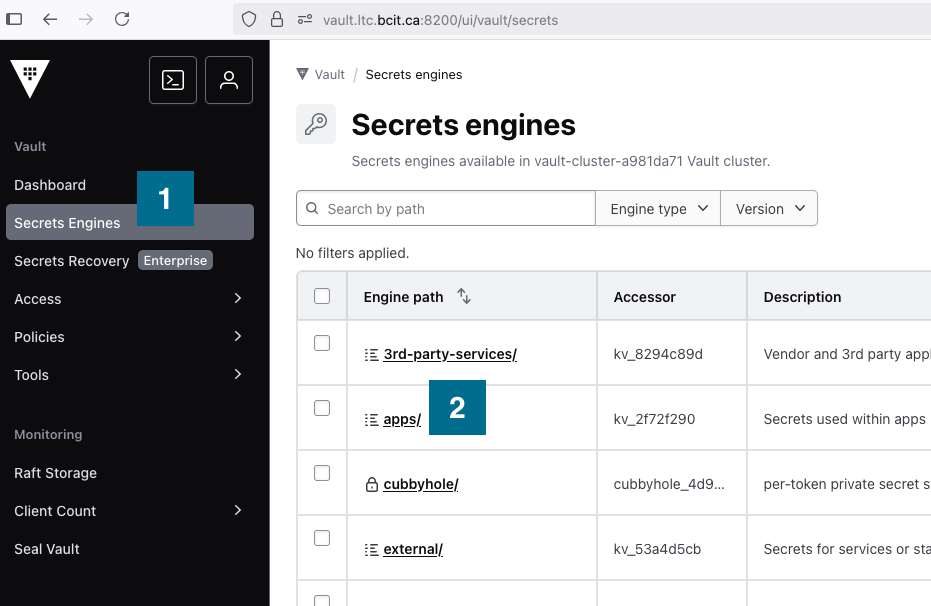
Select the Secrets Engines
 menu item and then select apps/
  .
.
-
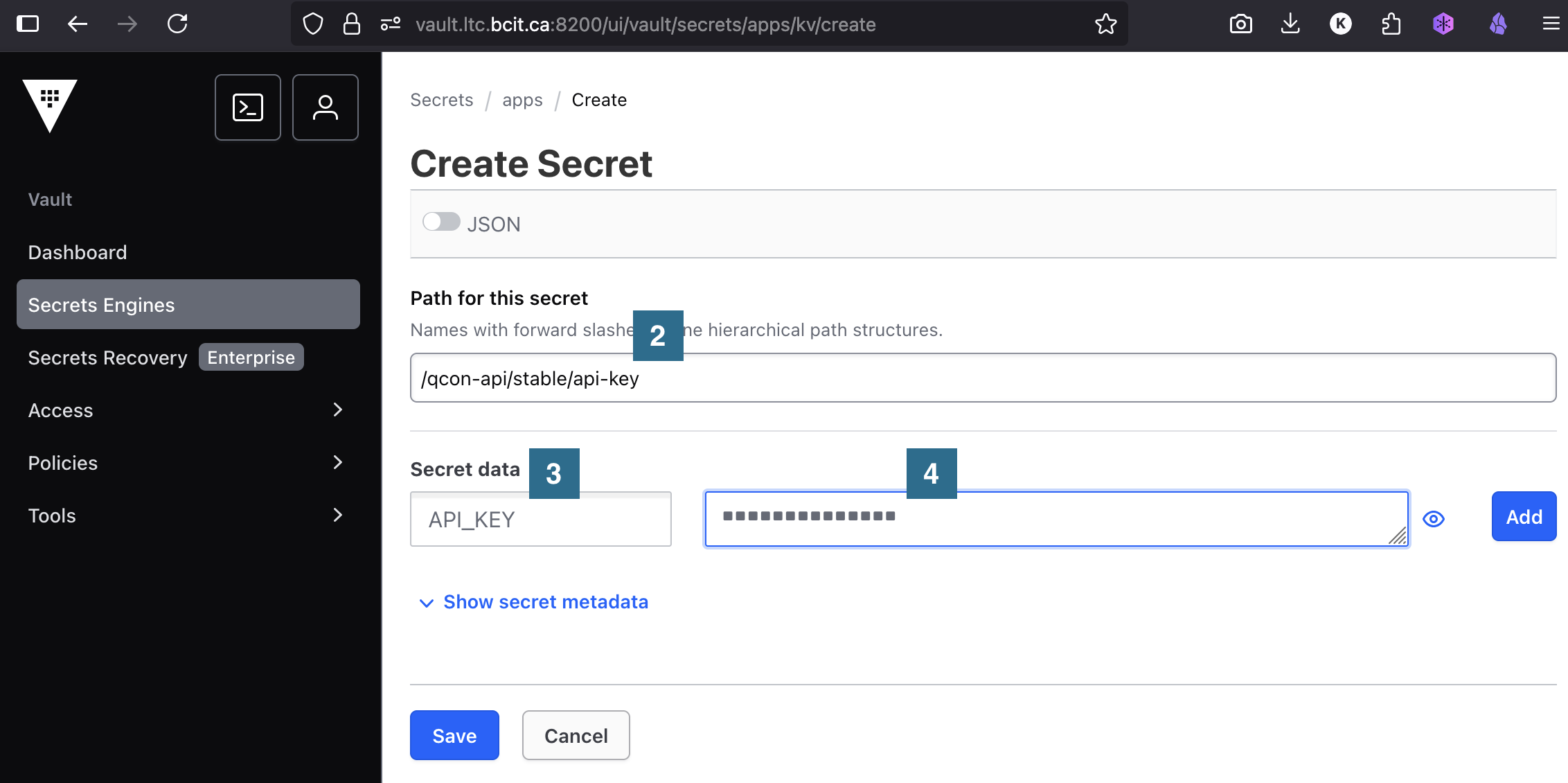
Secrets should be unique for different environments and stored using the following pattern:
If, for example, you have the following...
- secret name:
api-key - secret value:
API_KEY=5JR1K5vyXA38F0 - app name:
qcon-web - environment:
stableenvironment
...you can create a new secret by clicking Create Secret
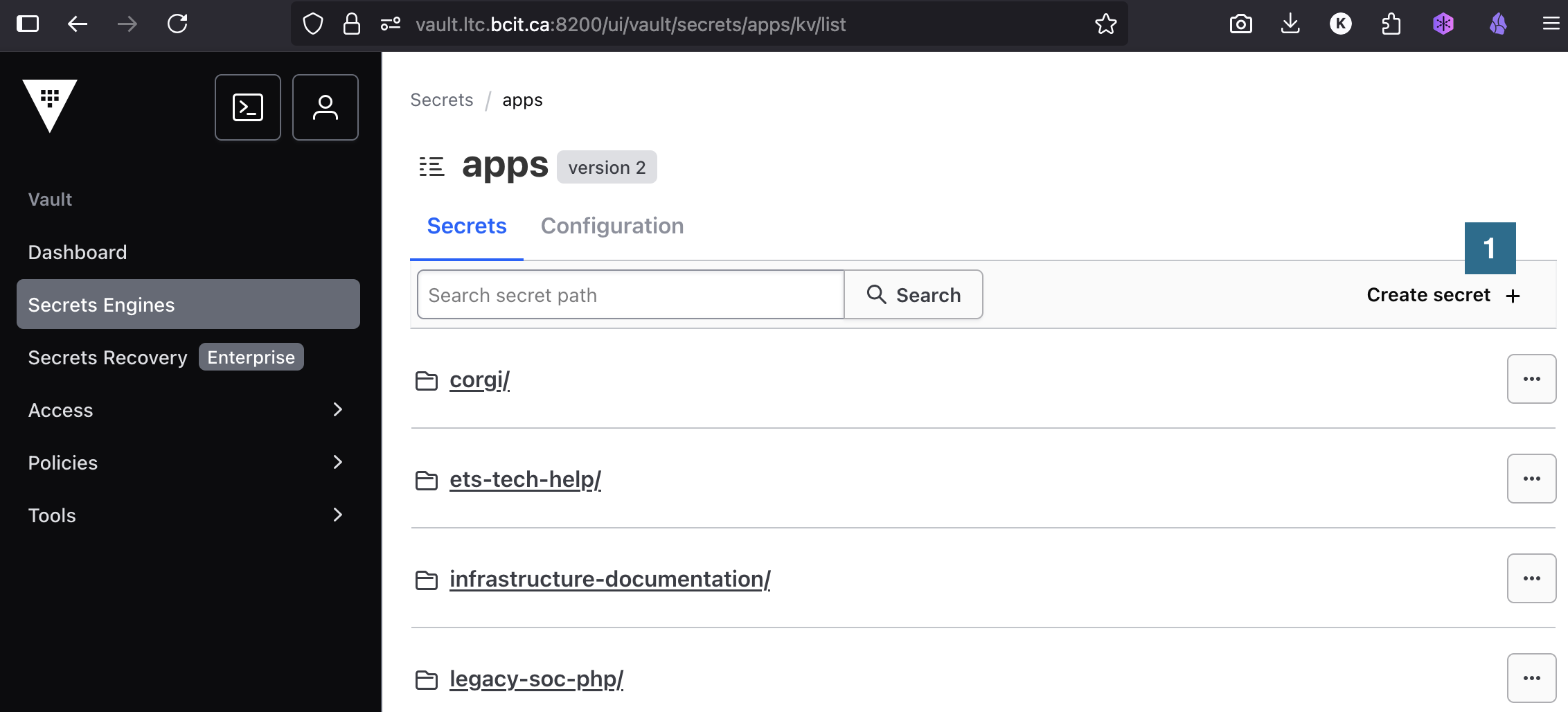
Adding the Path for this secret
, the Secret data  key, and the value of the secret
  :
:
- secret name:
See the links in the side menu for additional information about secrets.